

A silent alarm, from any phone in the building.
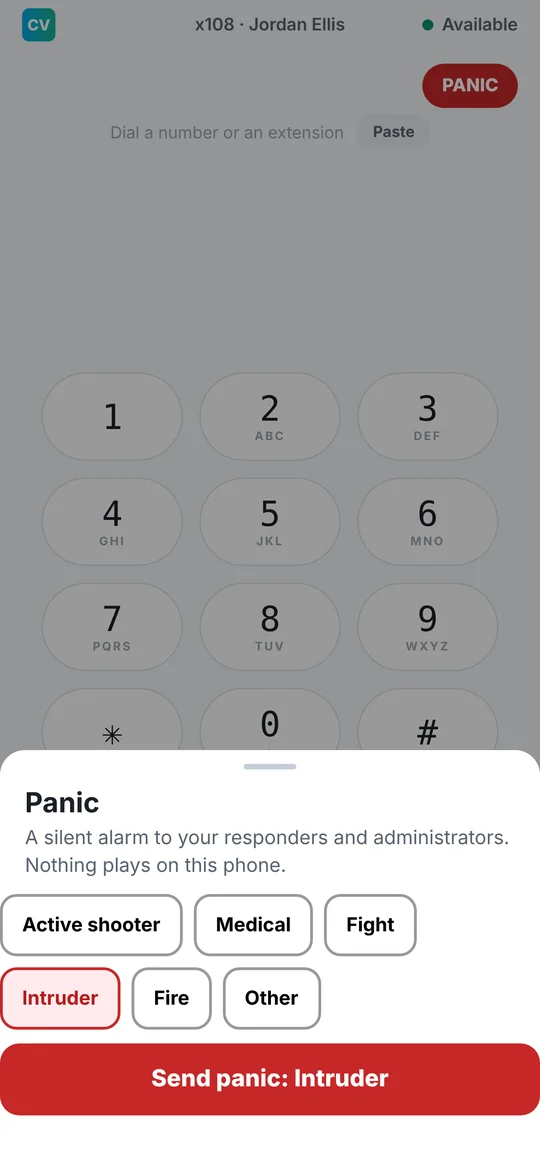
Anyone can send a silent panic alert to your responders and administrators. Nothing plays on the phone it's sent from, so it won't give anyone away.
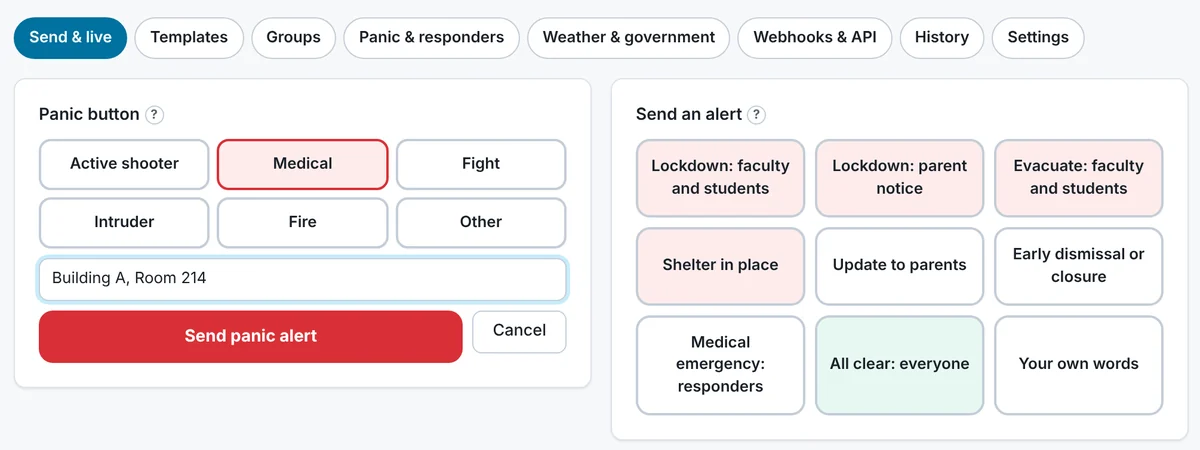
- Pick a reason: active shooter, medical, fight, intruder, fire or other.
- Send it from the phone app, the web portal, or any desk phone with no login. On a desk phone, dial *95 twice, or press a PANIC key your admin adds.
- Add the room, like "Building A, Room 214", so responders know exactly where to go.
- A desk phone panic starts in about 3 seconds.
Lockdown, evacuate, all clear. Two taps.
Send a lockdown, evacuation, shelter in place, early dismissal, a medical emergency to responders, an update to parents, or your own words. Every send takes two taps, the button and the confirm, so nothing goes out by accident.
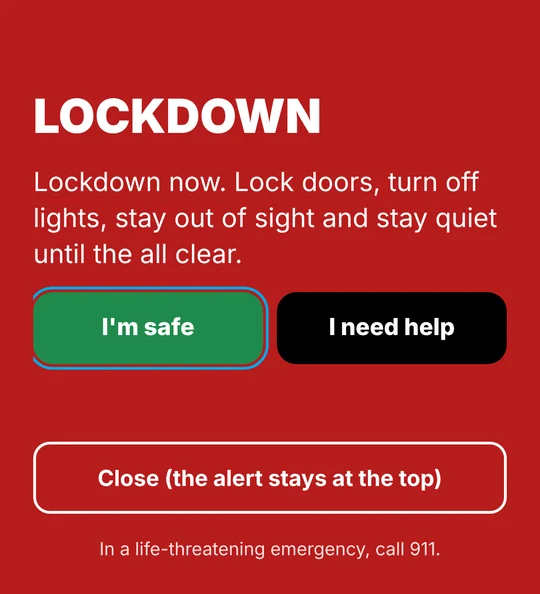
- The phone app fills the screen with the alert and I'm safe and I need help buttons.
- Desk phones show the message, and lockdowns play a tone and flash the phone's light red until the all clear.
- Alerts also go out by text message, email, and a phone call that reads the message aloud, and can be read over your overhead paging.
- Mass alerts and the all clear are limited to administrators by default.
See who's safe, and who needs help, in real time.
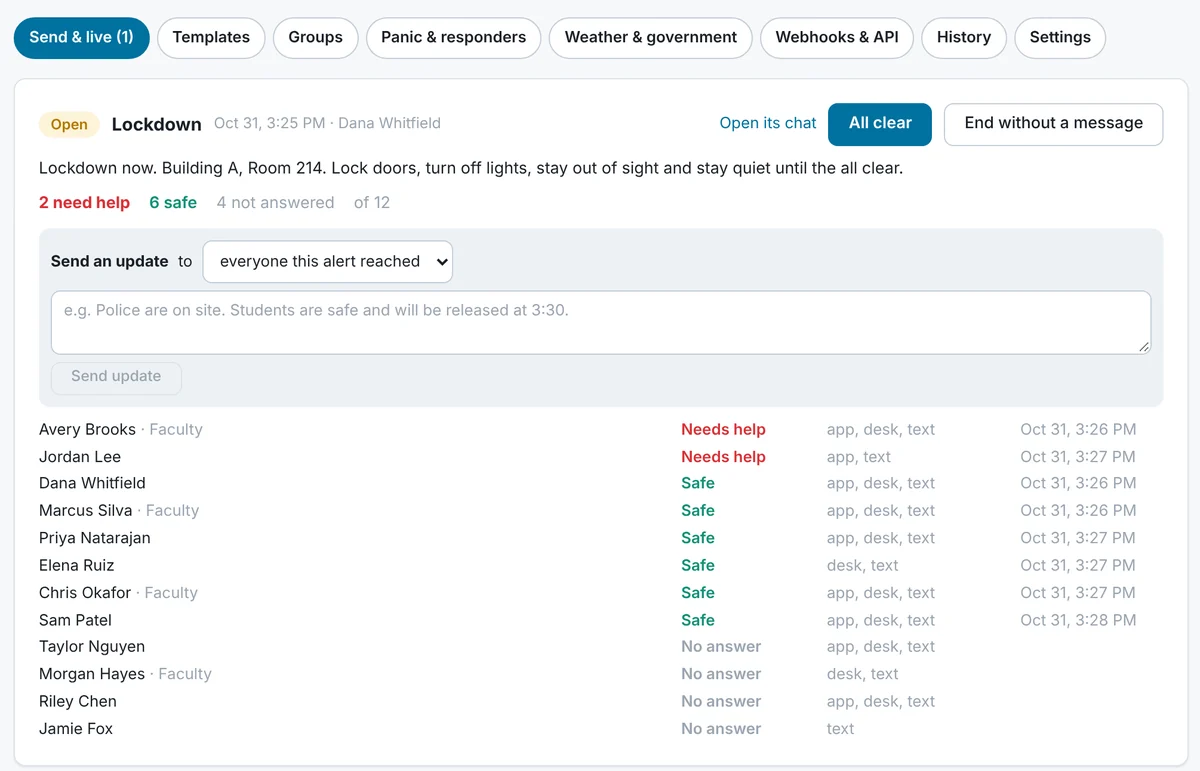
Everyone can reply that they're safe or need help, by tapping the app, replying to the text, pressing a key on the phone call, or from the portal. The live board shows each person, how they were reached and their answer, with needs-help at the top. Send updates to everyone the alert reached, open the alert's own chat, and end it with an all clear.
The panic button and alert templates, side by side.
Everything lives in the Emergency section of your portal: the panic button, ready-made alert templates you can edit, groups, responders, history and settings.
Reach staff, parents and responders.
Start with ready-made groups for Students, Parents, Faculty and Responders, or build your own. Any business can use them, not just schools.
Drills, outages and connections.
Built for the day you hope never comes.
Good to know
- It doesn't replace 911. The system alerts your people. It doesn't call 911 for you. In a life-threatening emergency, call 911 directly.
- Alerts ring through silent mode. On iPhone and Android, emergency alerts can sound even when the phone is on silent or Do Not Disturb, once the person allows it.
- Keep it current. You decide who can send alerts, and keep your lists, contact details and room locations up to date.
- The fine print is in Section 5.8A of our Terms.
See it with your own team.
Talk to a real person about what your business needs.