

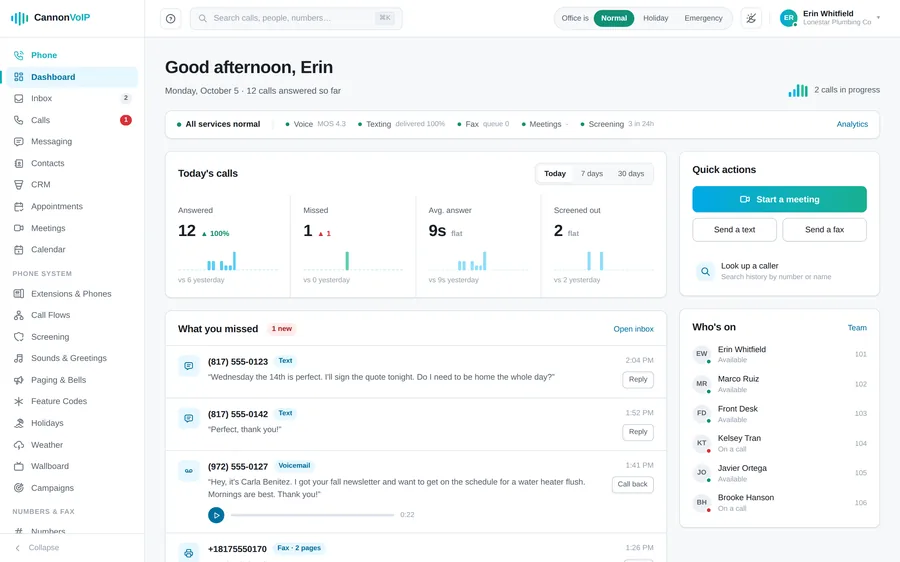
Most "admin portals" manage a third of your system.
With most providers, the portal changes a greeting and not much else, and everything real goes through a support ticket. Cannon VoIP is a true phone company, not a reseller: we built the portal, the apps and the servers and switching underneath them, so our portal manages the entire system: the phone system, the phones themselves, faxing, texting, the AI receptionist, and your integrations. Change what you want, whenever you want. And when you'd rather we do it, our support team is one call away. Self-service is a choice, not a requirement.
Because the portal is ours, it grows on our schedule, not a vendor's. Most feature requests ship in under four weeks, and simple ones often in under a week, depending on complexity.
Full phone system control
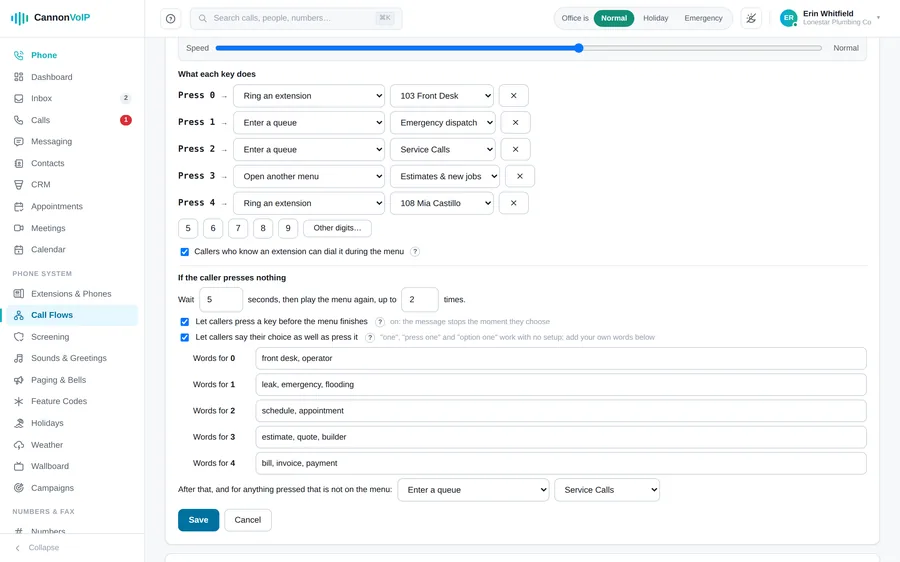
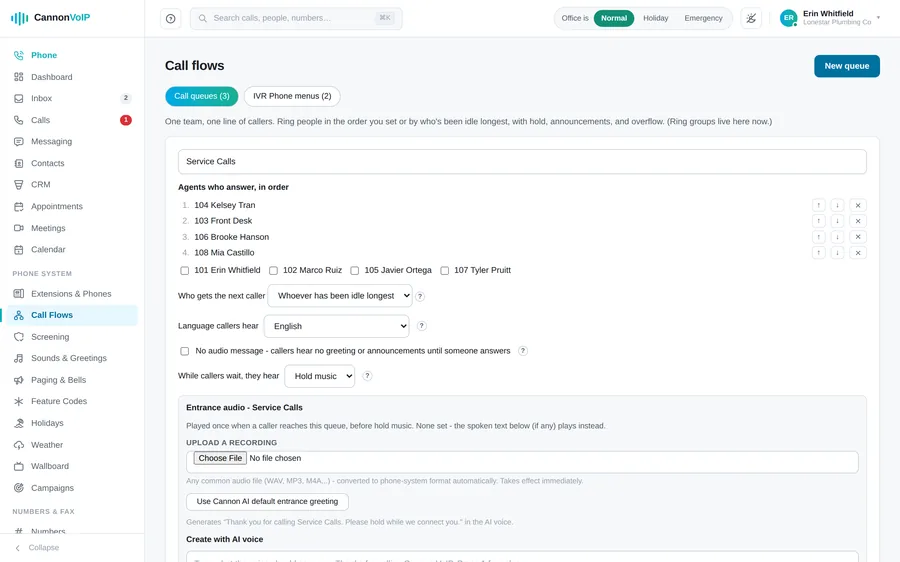
Every extension has its own call rules: Do Not Disturb, forward all, step-by-step follow me, presence forwarding for Away, At lunch, Business trip, Off work and Out of office, personal office hours, and caller rules for a number or a prefix like 214*. Ring groups and call queues ring in order or spread calls to whoever has been idle longest, offer repeat callers to the agent they spoke to last time, and let callers press 3 for a callback. Phone menus go as many levels deep as you need, with keys of one to eight characters and spoken choices. Office hours are set per phone number, by day of week, in your account's time zone, each with its own after-hours destination. All editable in the portal, all live the moment you save.
Company status and holidays
A company status switch in the portal header: Normal, Holiday, Emergency or Snow Day. A special status overrides office hours and normal routing, and a banner across the portal shows while it is on. Add this year's US federal holidays in one click, and the system switches to Holiday on each listed day and back afterward. Emergency and Snow Day always stay a manual choice, and queues can keep their own night mode hours.
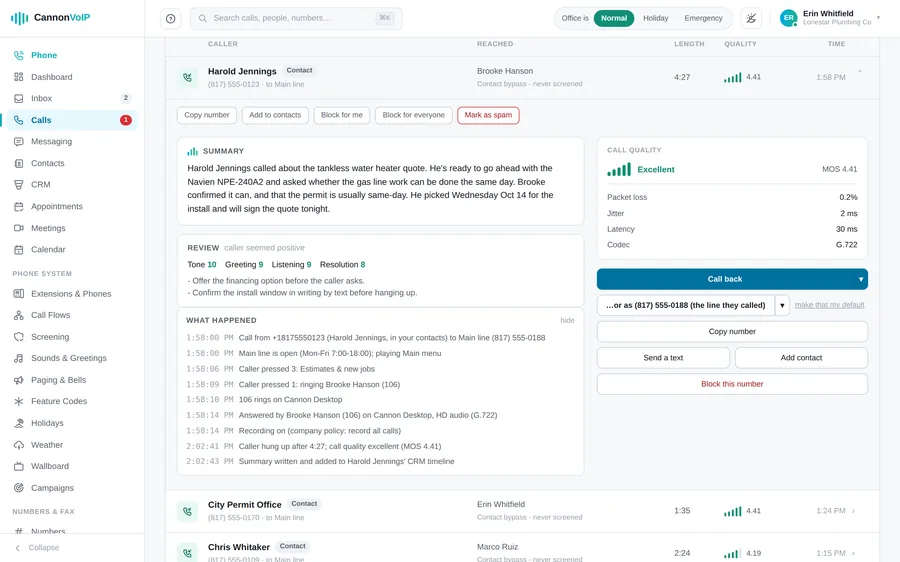
“What happened” on every call
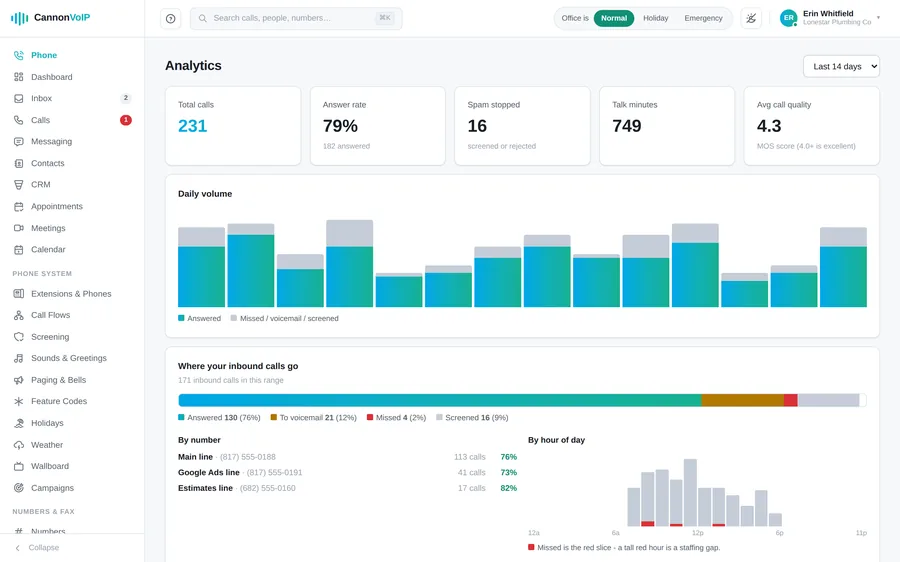
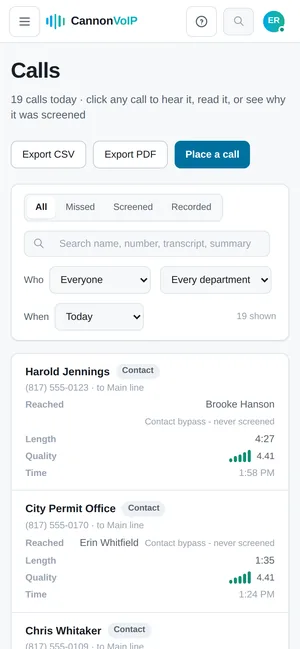
Every call in the call log has a “What happened” panel: step-by-step notes of where the call went and why, which phones rang and for how long, who answered, and which side hung up first. It also notes when screening, a block or caller timeout changed a call, and when a greeting could not play. No more guessing why a call ended up in voicemail.
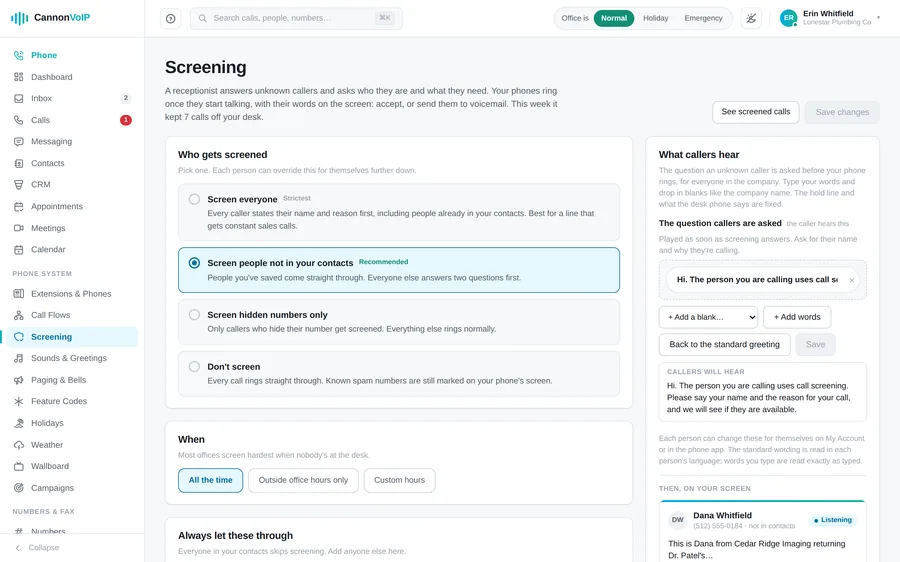
Call screening and spam control
Screened callers state their name and reason, your phone rings as soon as they start speaking, and their words appear live on your app and browser phone. Tap Accept or Voicemail while they hear your hold music. Desk phones ring for screened calls too and play the caller's words: press 1 to accept or 2 for voicemail. AI screening rules send the calls you never want, like sales, debt collectors or likely scams, to voicemail without ringing, and the call log says which rule and why. Screen everyone, only non-contacts, only hidden numbers, or nobody, with per-person choices and schedules. Each number has its own spam handling (warn, screen, turn away or ignore), flagged calls ring as “Possible spam”, and *97 blocks the last caller from any phone.
Phones that set themselves up
Factory-fresh Fanvil, Yealink and Grandstream phones find the platform on first boot, and Cisco and Poly phones set up with a one-time link. Phones pull the company directory, set their clock from your account's time zone, and check in for changes on a schedule you choose, from every three minutes to once a week. Each extension gets up to twenty keys with custom labels for busy lamps, speed dials and paging, and the keys belong to the person, so they follow them to any phone. Over ninety settings can be set once per model or per phone.
Diagnose, reboot and hot desking
One click opens a Diagnose screen with a one-line verdict. It checks the extension, configuration, registration and setup in order, each with a plain next step, and shows the phone's model, firmware, IP addresses and when it last collected its settings. Reprovision a phone now or reboot it remotely. With hot desking, anyone can make a certified desk phone ring as their extension for the day, with their keys and speed dials, and it returns to its owner automatically. Office routers come plug-and-play, set up for voice and managed for you by our team, who watch each one and can reboot it remotely.
Paging groups and scheduled bells
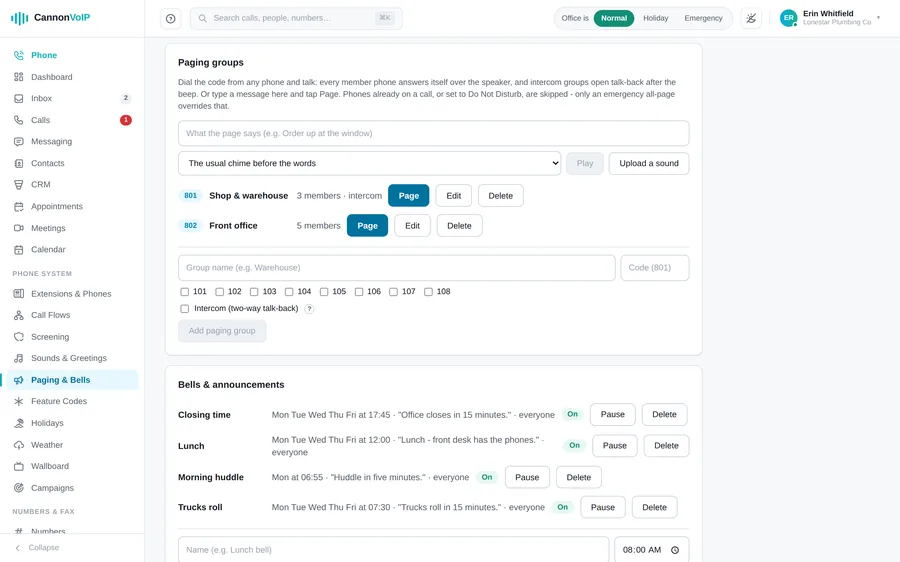
Paging groups each get their own dial code, one-way or with two-way talk-back. Page everyone at once from the portal, or type a message and have it spoken over a group or the whole building, with a bell in front to get attention. Schedule shift-change, lunch and closing bells by time of day and day of week, using built-in chimes or your own sounds. Emergency pages break through Do Not Disturb and are logged.
Wallboard with listen, whisper and barge
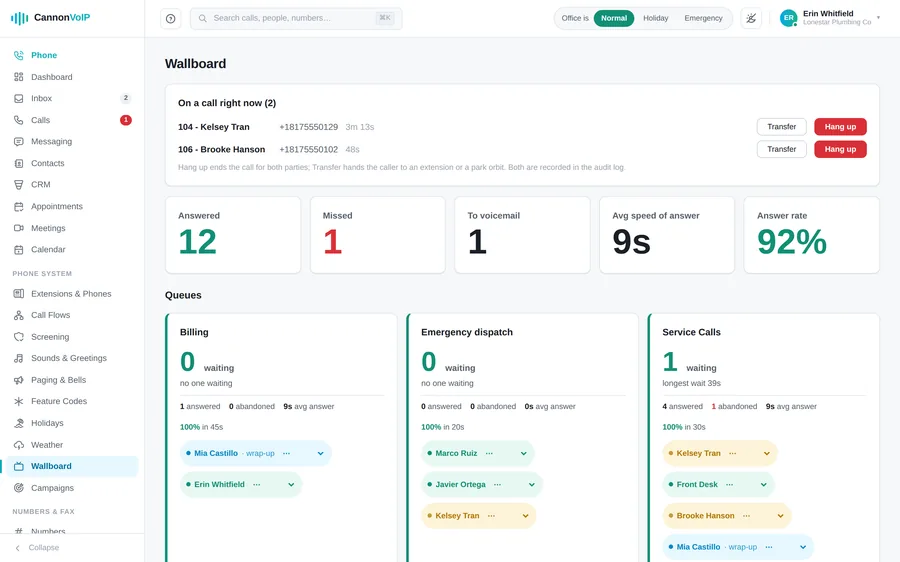
A wallboard for a wall screen that refreshes every five seconds: callers waiting, longest wait, answered, abandoned and service level for each queue, and every agent shown as available, busy, wrap-up, away or offline. Supervisors can listen, whisper or barge into live calls, and transfer, park or end a call right from the wallboard. Every supervisor action is logged with the person's name.
AI receptionist, managed by you
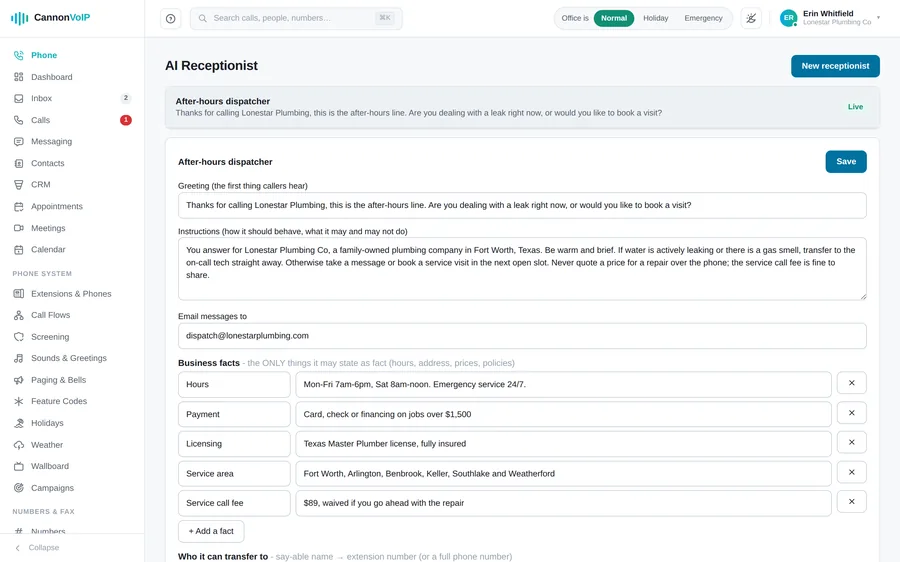
Set up your AI receptionist right in the portal: what it says, what it knows about your business, and what it is allowed to do. It speaks 19 languages and switches to the caller's language on its own. It answers only from what you gave it, transfers callers by name, takes messages, books appointments while the caller is on the line (offering only times that are actually free), and texts callers an address, link or confirmation. Its bookings land on your Appointments page with the same confirmation and reminder texts. Try it by typing, using your real settings, before it takes a call. Every handled call is emailed with the full conversation. Meet the AI receptionist →
Greetings in a few clicks
New extensions get a spoken voicemail greeting automatically. Menus, queues and voicemail boxes get one-click AI greetings built from their own options and names, in your choice of voice and speaking speed. Or type your own words for the AI voice, upload a recording in any common audio format, or record one from your phone. Preview what callers will hear before you save.
A real person, when it matters
Live Answering routes the calls nobody picks up to a trained person who answers in your company's name and works through the questions you wrote, with service-area checking, pronunciation guides, and an email the moment the call ends, followed by the recording, summary, and full transcript. Point any line, queue overflow, or after-hours branch at it, just like voicemail.
eFax, built in
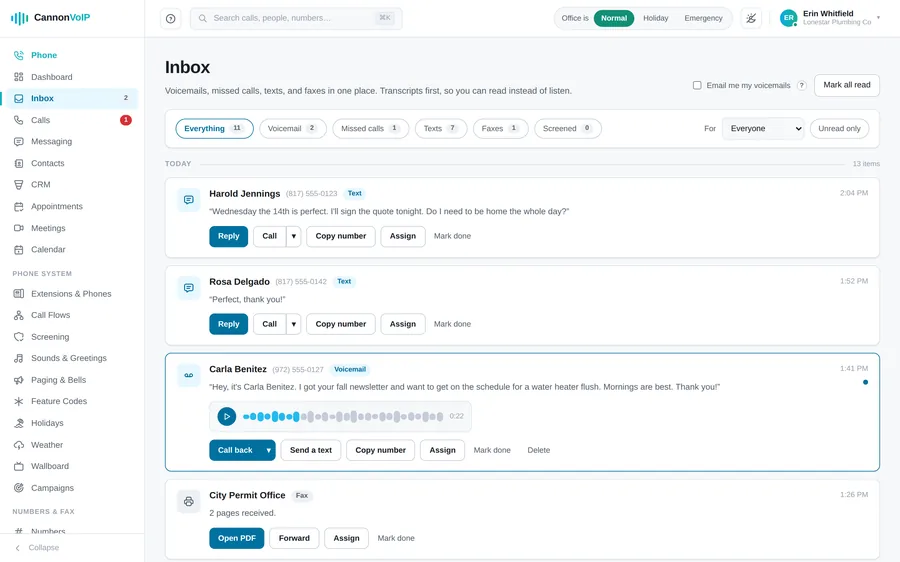
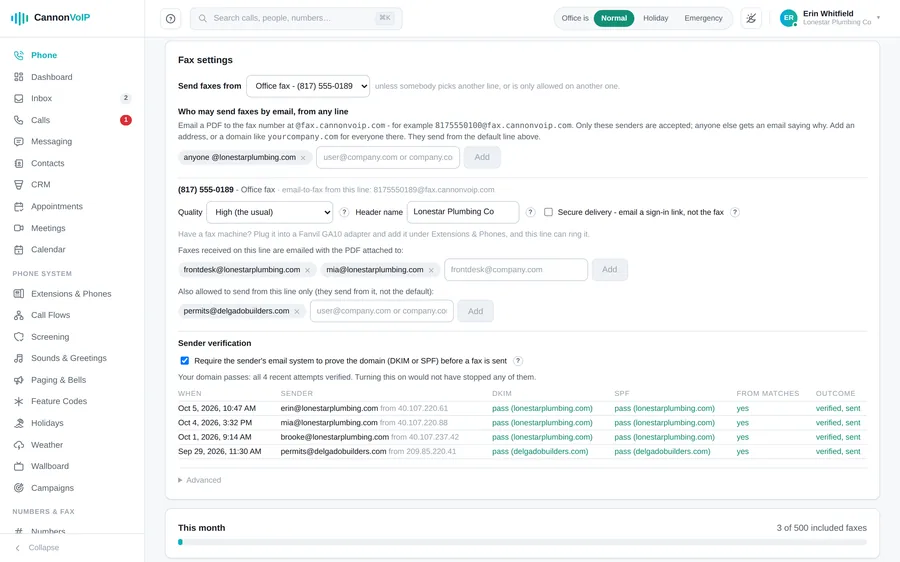
Send from the browser (PDFs, pictures, scans, Word, Excel or PowerPoint, several files in one fax in the order you choose), through the fax API, or by email from addresses or domains you allow, with an optional sender check. Send one fax to up to twenty numbers, with cover pages, send later, and cancel before it goes. Received faxes land in the same inbox as voicemail and texts and open as a PDF in one click. Each fax line can email them to the people you choose with the PDF attached, or use secure delivery to send a sign-in link instead. A failed fax comes with a plain-English reason. Faxes are kept for a year, or seven years if you choose, and legal holds keep them longer. Your monthly allowance has a usage meter, and faxing never stops at the limit. Real fax machines keep working through an on-site adapter.
Business texting that scales
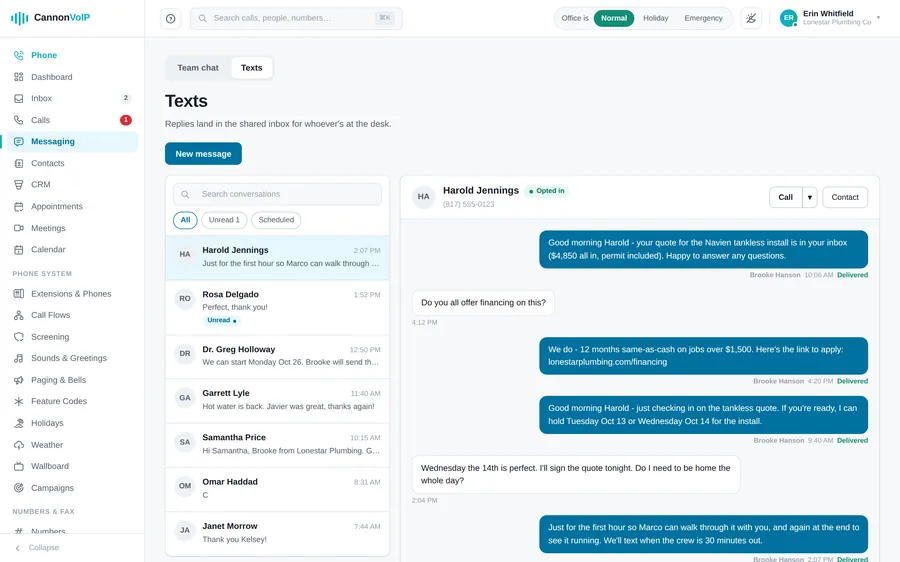
Threaded SMS and MMS on your real business numbers: templates one click away, keyword auto-replies (text HOURS, get your hours), scheduled sends, and broadcasts to up to five hundred numbers that pace themselves and skip anyone who opted out. STOP, START, and HELP are always handled automatically, and STOP opts people out of every number your business texts from, and 10DLC brand and campaign registration is done from the portal.
Or keep your own CRM
Prefer the CRM you already use? Connect Zoho CRM, HubSpot, Salesforce, Microsoft Dynamics 365, GoHighLevel, Zendesk, Freshdesk, SugarCRM, Odoo, Housecall Pro, or CallRail yourself, right from the portal. Contacts sync every six hours or on demand, so synced contacts name your callers and appear in screen pops before you answer. With HubSpot, Zoho and GoHighLevel, finished calls are also logged automatically, and internal calls stay out.
Numbers, porting, 911 & branded calling
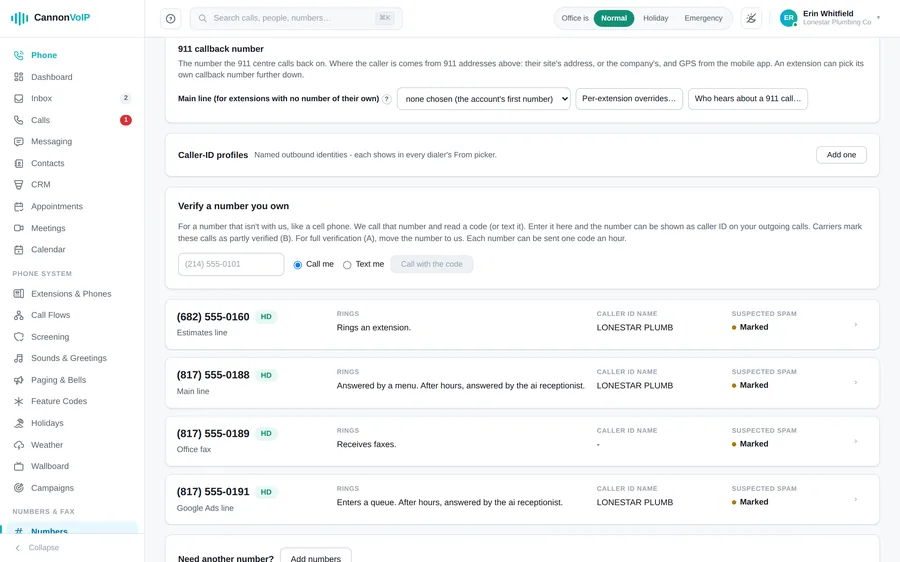
Search numbers by area code, city, state or rate center, buy up to ten at once, and port your existing numbers with an order that is checked for missing details before you sign. Outbound caller ID name changes take effect the moment you save. A 911 address is registered on each phone number and checked with 911 systems first, and the Numbers screen shows each 911 address and whether the carrier has it ready. Each building can be a 911 site with its own address, an extension can have its own 911 number for another site, and 911 calls from the mobile app send the phone's location. The apps show the address and callback number a 911 call would send right now. The Kari's Law and RAY BAUM'S Act compliance work is handled for you. Branded Calling + RCS puts your name and logo on outbound calls and on branded texts.
Call recording your way
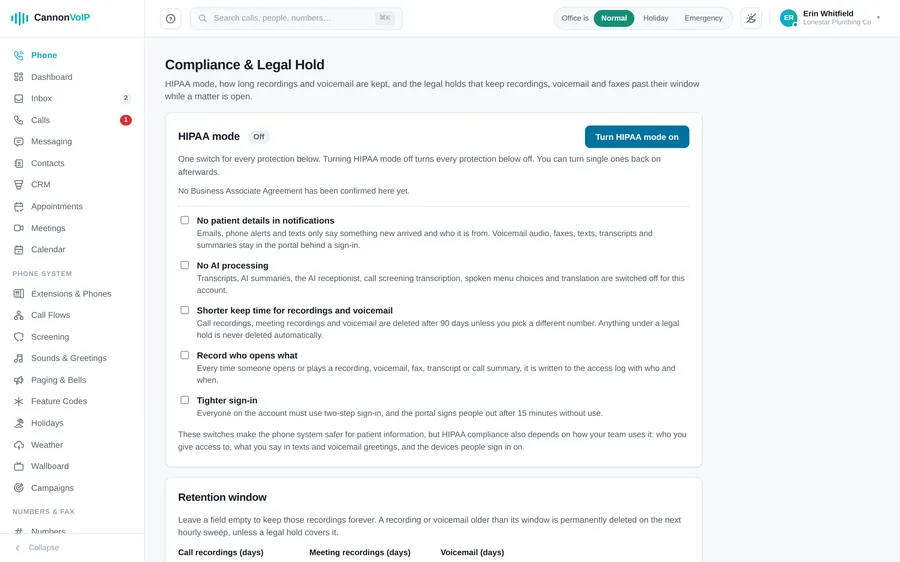
Record all calls, inbound only, outbound only, or none, then override per number or per extension, where “off” on an extension always wins. The “this call may be recorded” notice follows state consent laws automatically. Keep recordings from 1 day to 10 years, with a separate period for meetings, and place legal holds that keep recordings, voicemails and faxes past any retention period. Voicemails are kept 1 to 365 days, or forever.
HIPAA mode
One switch turns on every protection, with a switch for each one underneath. It records that a signed Business Associate Agreement is in place, with who confirmed it and when. Notifications carry no patient details, and webhooks and notes sent to outside CRMs leave out transcripts, recordings and message text. You can switch off AI processing entirely, keep recordings and voicemail for a shorter time (90 days unless you pick another number), and see an access log of who opened or played each recording, voicemail, fax, transcript or summary. Everyone signs in with two steps and is signed out after 15 minutes idle.
An API and webhooks for developers
A documented REST API for faxing (send, list, retrieve, download) with interactive docs. API keys use the same API as the portal, limited to the areas you pick; each key is shown once, can be revoked instantly, and shows when it was last used, and no key can manage users, sign port papers or touch billing. Keys expire after a year by default, or up to two years if you choose. Webhooks cover calls, missed calls, texts, voicemails, faxes, meetings, recordings, tickets, new contacts, form submissions and port-outs, signed with HMAC SHA-256 and a timestamp, with retries, test events and a delivery log.
Team and roles
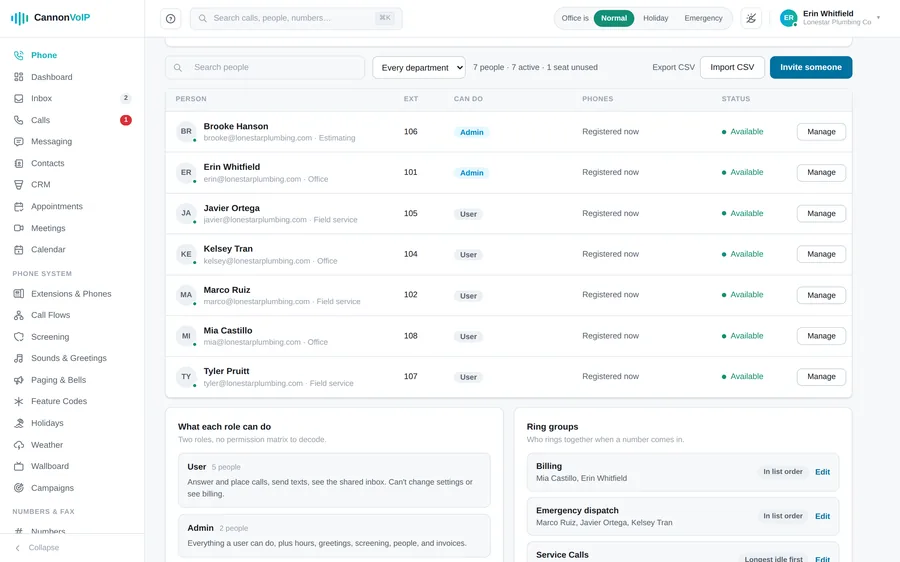
Invite someone with a name, an email and a role, or bulk invite up to 200 people from pasted spreadsheet rows. Use the built-in User and Admin roles or build custom roles like Front desk or Billing clerk by ticking permissions. Tag each extension with a department and a building, then filter the team list, call log and reports by them, and download reports by department or building as a spreadsheet or PDF. To offboard someone, disable their sign-in: it signs them out everywhere and keeps their history. You can download a person's calls, messages and settings as a ZIP file before they go.
Sign-in security
Two-factor sign-in with an authenticator app or emailed codes, and admins can require it for everyone without locking anyone out. Lock portal sign-in to your office networks with an IP allow-list, with a warning before you lock yourself out. You get an email when a new device signs in, with its approximate location, and you can see everywhere you are signed in and sign out everywhere else with one button.
An audit log of every change
Every settings change is logged with who made it, when, and what it looked like before and after. Supervisor actions and AI assistant actions are logged under the name of whoever took them. You can download everything in your account as a single file at any time.
Connect your own AI assistant
Connect Claude, ChatGPT, Gemini or any Model Context Protocol (MCP) assistant with one address on your portal domain. Choose which areas it can reach and how far it acts alone: read only, low-risk actions, or approved high-risk actions. High-risk actions wait for a person to approve by push notification, team chat or email, and company status changes and bulk texts always need a person. An assistant can never outrank the person who connected it.
Search, dark mode, and your phone
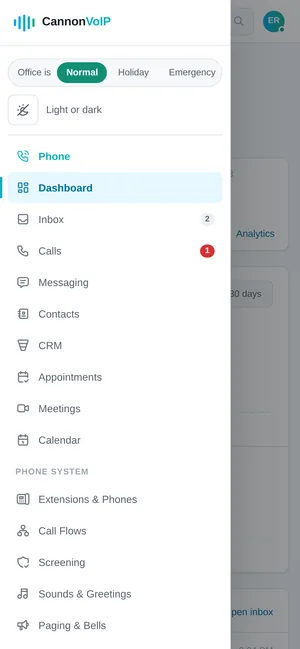
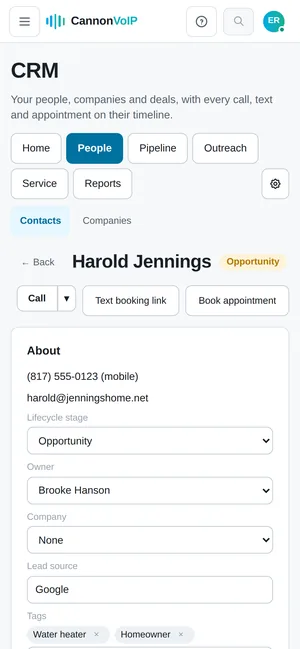
Press Command-K to search people, contacts and recent calls from anywhere in the portal. Dark mode follows your device, or your own choice. A “?” beside settings explains each one in a sentence, and error messages say what to fix. The portal also works on a phone, with a menu drawer, tables shown as cards and full-screen panels.
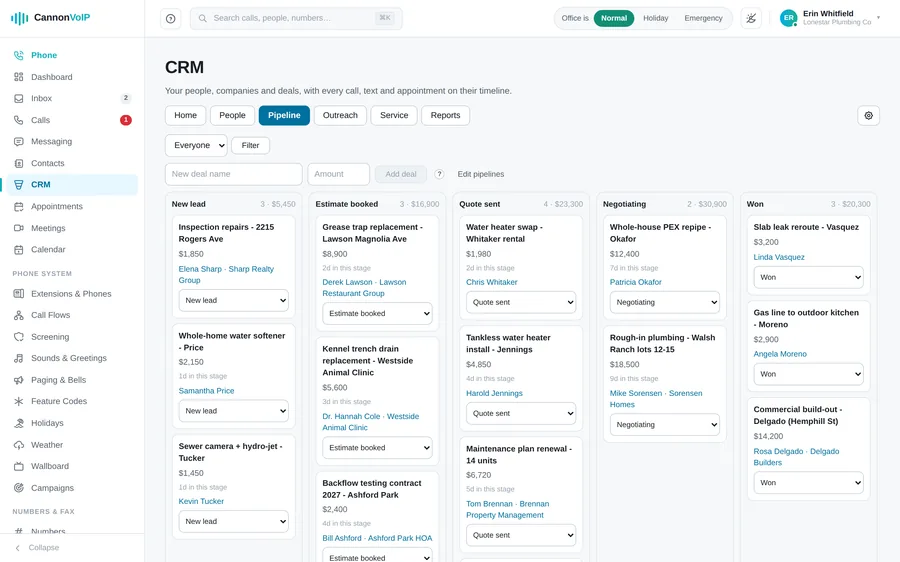
Built-in CRM, included
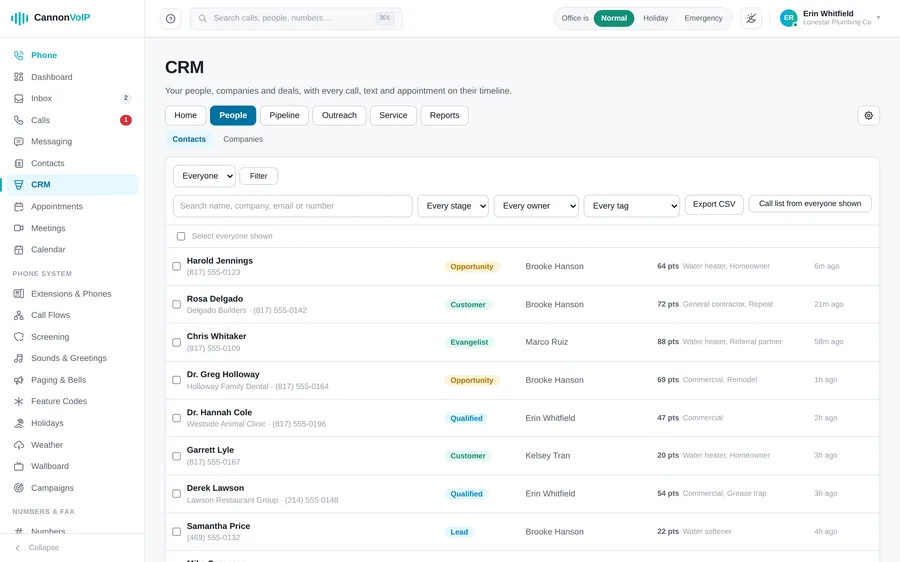
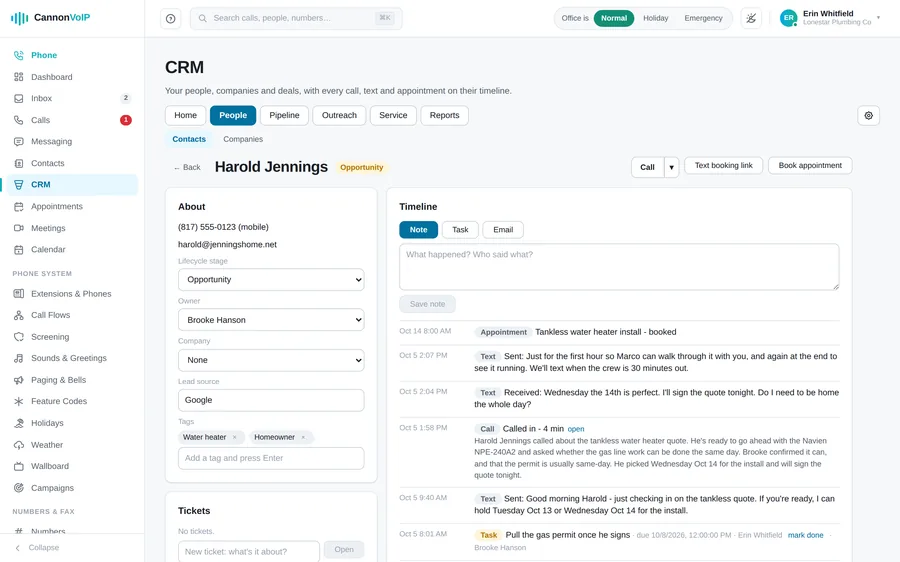
A full CRM sits inside the same portal as your phones, included in the $34 per extension price. People, companies and deals on your own pipelines, with stages that flag deals that sit too long. Each person has one timeline of notes, tasks, calls, texts, emails, appointments, tickets and chats. Add website forms, automation workflows, email sequences from each rep's own Gmail or Microsoft 365 mailbox, call lists, reports and a service desk. We switch it on for your account.
Appointments and booking page
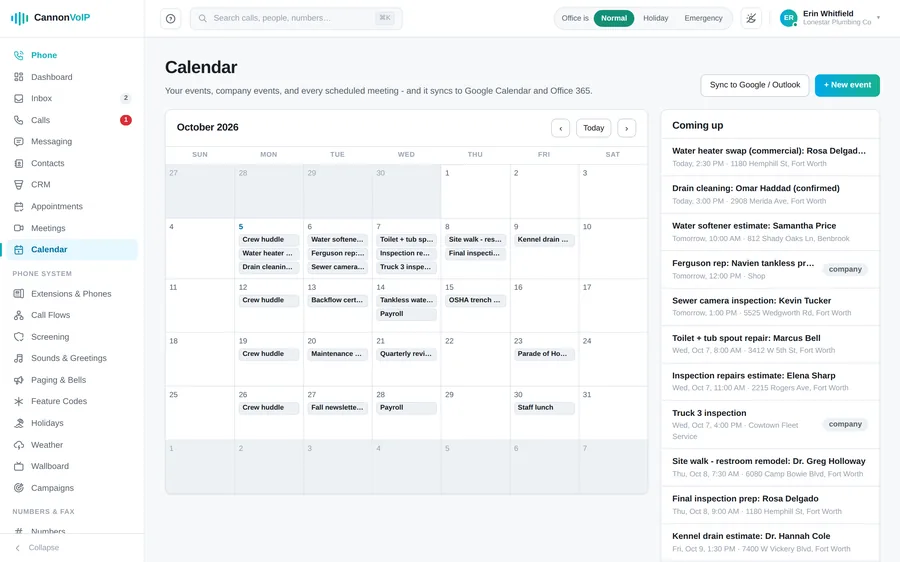
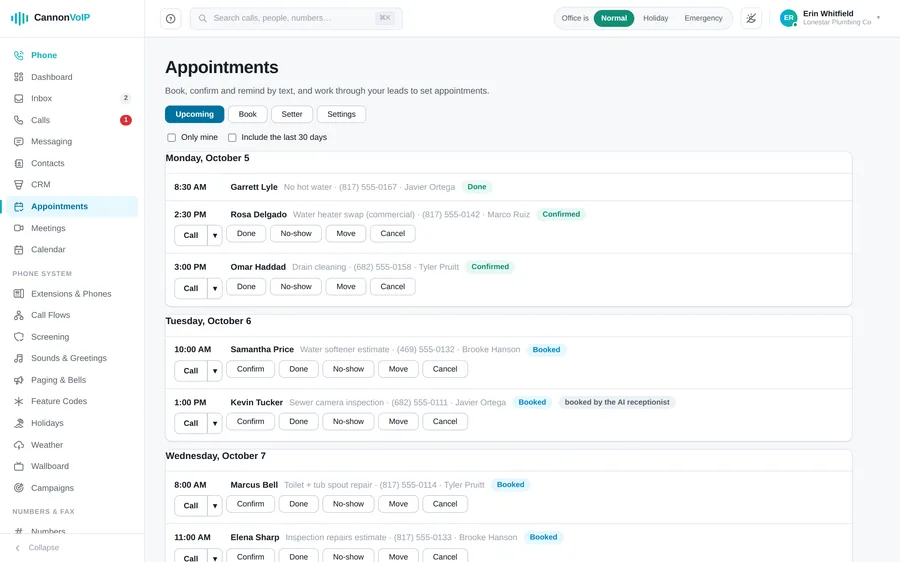
An Appointments page to book, move, confirm, finish, mark no-show or cancel. Customers get a confirmation text when they are booked and a reminder before, and can reply C to confirm or R to ask for a new time. Share a public booking page where customers pick an open time themselves, and a time slot can never be double booked. Bookings made by the AI receptionist land here too, and appointments show on the portal calendar.
Team chat
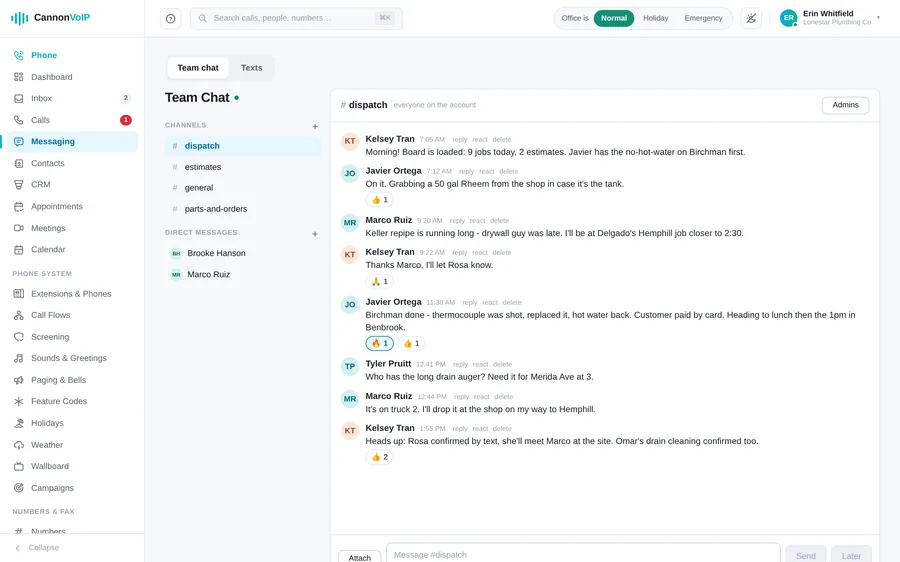
Channels with Admin, Member and View only roles. Reply to a message, react to it, and see who has read it, with typing dots while someone writes. Attach files in the portal or pictures from the Android and iPhone apps, write a message now and send it later, and new messages appear live. Every channel has a link you can share with a colleague, and team chat works in the Android and iPhone apps too.
Weather alerts
A Weather page shows the National Weather Service forecast for your company address, one of your buildings, or any spot you choose. Severe weather warnings for that spot reach everyone, with an alert on the apps' lock screen and a line on desk phones. The most serious warnings, like a tornado warning, can be read aloud over a paging group. You choose how severe a warning must be before it raises an alert.
Click to call from the portal
Click a number in the portal and your own phone rings first, then it dials the contact. Calling back from the call log places the call from your own extension. Desk phone users can drop a recorded voicemail onto the call they are on, and you can use an outside number you own as your caller ID once it is verified with the carrier.
A look inside the portal
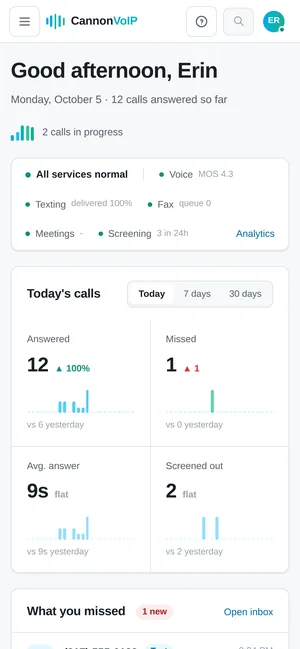
On your phone
The portal works in a phone's browser too: a menu drawer, tables shown as cards, and full-screen panels.
What one portal means for your business
Changes in minutes, not tickets
New hire? Add the extension, and their phone configures itself. Holiday hours? Two clicks. You're never waiting on a support queue for something you can do yourself in less time than it takes to describe it.
One login, one bill, one vendor
Phones, fax, texting, AI receptionist, and a CRM usually means five subscriptions from four companies. Here it's one system, built together, from one provider that owns the network underneath it.
Self-service is optional
The portal is there when you want control. Our real, US-based support team is there when you don't. Most customers use both — and neither costs extra.
See the portal with your own numbers in it.
We'll walk you through a live setup for your business — no contracts, no pressure, $34/extension.