
If your company lives in Microsoft Teams or Google Workspace, your phone system shouldn't feel like a separate world. Cannon VoIP connects to all three of Microsoft's and Google's productivity layers, Teams, Microsoft 365, and Google Workspace, so calling, contacts, and sign-in follow the tools your team already uses all day.
Real phone calls, inside Microsoft Teams
Through Direct Routing, your Teams users can make and receive real phone calls, actual business numbers, not just Teams-to-Teams chat calls, using Cannon VoIP for connectivity instead of buying Microsoft calling plans. We host and maintain the carrier-grade routing infrastructure centrally; your team just sees a dial pad in Teams that works.
What Microsoft 365 connection adds
And for Google Workspace shops
The same idea, Google-flavored: contacts and users sync from Google Workspace so your directory stays current on its own, when someone's added or updated in Workspace, the phone system already knows.
Each person can also connect their own Google account:
- Sign in with Google or Microsoft: existing, active users can continue with Google or Microsoft instead of typing a password, when turned on for your account.
- Google contacts: copy your Google contacts into your personal contact list, so those callers are named when they ring.
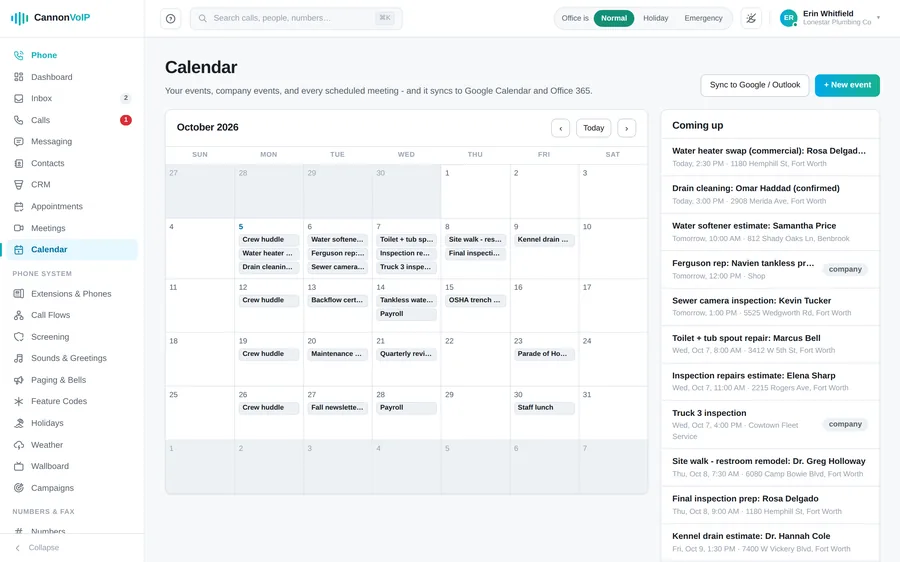
- Google Calendar: your Google Calendar events join your meetings agenda.
- Gmail: recent Gmail threads show beside each contact, so you have context before you call back.
- Read-only and reversible: Google access is read-only, and it is removed when you disconnect.
Or use what's built in
Some teams already have Teams or Workspace for meetings and chat, and that works well alongside us. Others would rather keep everything in one place. Cannon VoIP includes its own video meetings, team chat, calendar and a built-in CRM in the same portal and apps as your phone system.
Setup happens with our team, connecting either platform takes an admin consent step on the Microsoft or Google side, and we walk through it with you during onboarding. Also connected: 11 CRM and helpdesk platforms.
Teams calling is a favorite of the firms on our law firm page, worth a look if that is your world.
Run on Teams or Workspace?
Tell us which one and we'll show you what connected calling looks like for your team.
Talk to us about Teams & Workspace